Data Analytics With Excel & Power BI Course in Singapore
A Power BI Course for Beginners, With SWDA Funding & SkillsFuture
Starts from only S$195 incl. GST after 70% grant*
Use SkillsFuture to offset this amount
| Training Schedule | |
|---|---|
| 19, 20 Nov 2026 | |
| 5, 19 Dec 2026 | |
| 7, 8 Dec 2026 | |
| 14, 15 Jan 2027 | |
| 16, 23 Jan 2027 | |
Learn PowerBI Dashboards Data Analysis Pivot Tables PowerBI Timelines PowerBI Slicers PowerBI Visualizations To Share PowerBI
This 2-day Power BI course in Singapore is for beginners. You clean and summarise data in Excel, then build Power BI dashboards, in a classroom with the trainer in the room.
You use statistical analysis and pivot tables in Excel, then turn the results into Power BI dashboards you can share.
Up to 70% SWDA funding, and SkillsFuture Credit can pay the balance of this Power BI course.
A great course for Beginners to learn the Fundamentals of Data Analysis with the two Microsoft tools: Power BI and Excel. Only need Excel? Compare all Excel courses. Only need Power BI? See the Power BI course Singapore at Intellisoft Systems.
Data Analytics make it easy to understand past data, and forecast future trends, helping you make sense of and decide on the Best course of action, with our Step-by-step, Practical, Hands-on training!
Course Objectives

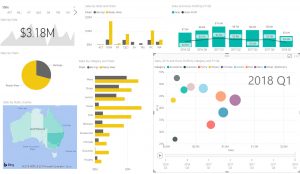
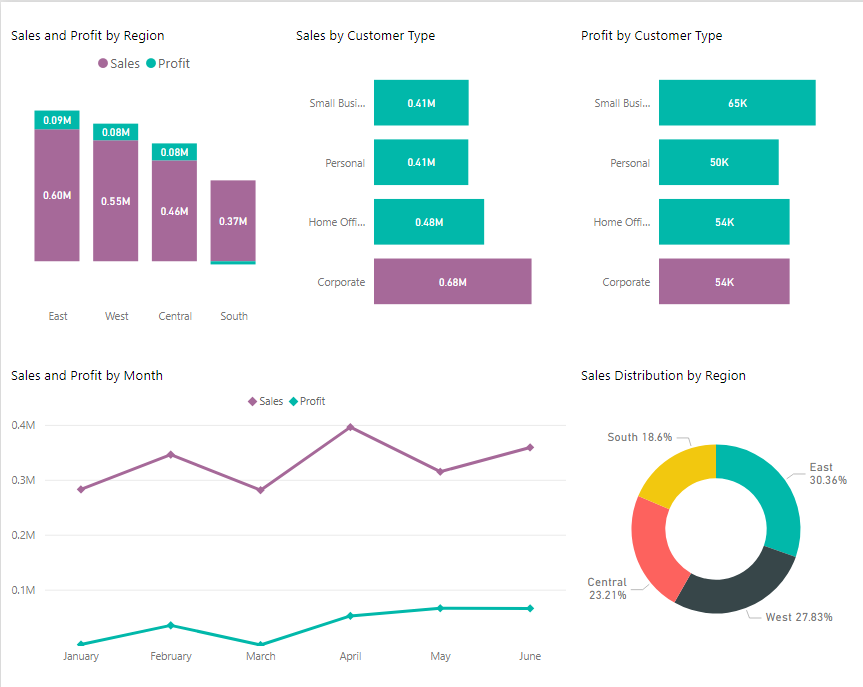
PowerBI Bar, Line, Column & Donut Charts
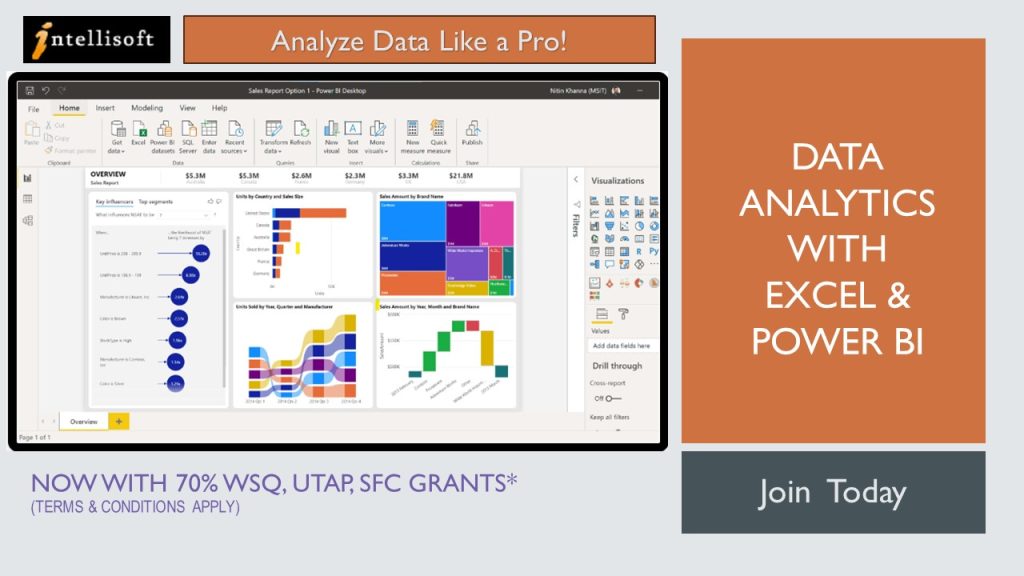
This SWDA Funded Data Analytics With Excel & Power BI course in Singapore teaches you how to get started into Data Analysis, use Statistical techniques in Excel, create Pivot Table Reports, and Visualize Data with Power BI Dashboards easily.
This course provides essential knowledge and skills relating to data analytics concepts, statistical analysis, data set preparation, data set summarization and data visualization successfully.
You will gain expertise in analyzing production data and chart future course of action confidently with these sophisticated Data Analytics Tools
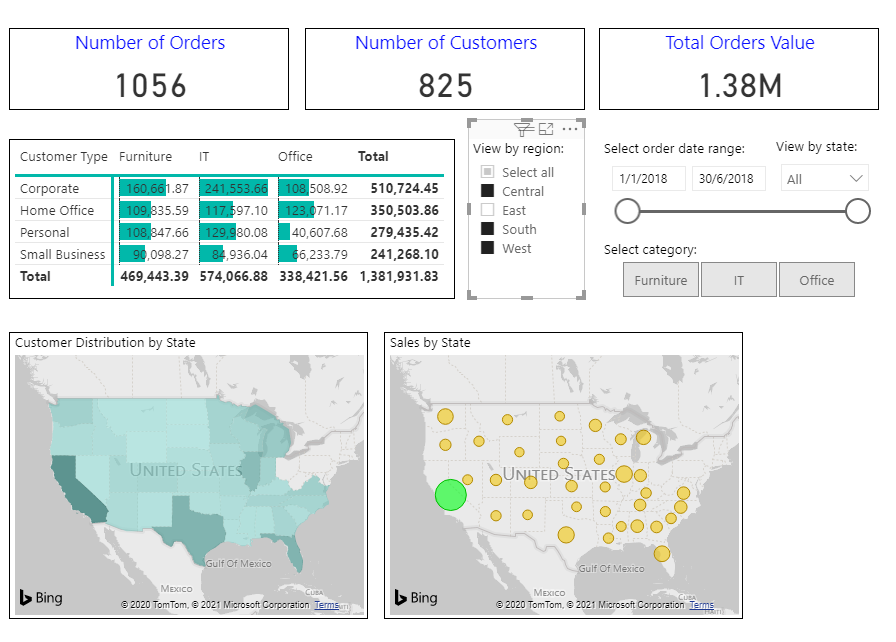
Our objective is to train you to be able to perform the following Data Analytics Tasks well:
- Understand the key concepts of data analytics in business.
- Understand and apply key statistical analysis concepts.
- Import data into a spreadsheet and prepare it for analysis using data cleansing and filtering techniques.
- Summarize data sets using Pivot tables and Pivot charts.
- Understand and apply Data Visualization Techniques & Tools.
- Create and Share Interactive Reports & Dashboards with the Best Data Visualization Tool – Power BI.
A good next step for Excel users who want to move from pivot tables to Power BI dashboards.
| Training Schedule | |
|---|---|
| 19, 20 Nov 2026 | |
| 5, 19 Dec 2026 | |
| 7, 8 Dec 2026 | |
| 14, 15 Jan 2027 | |
| 16, 23 Jan 2027 | |
Need a Course Brochure?
We'll send you one!
Course Outline
Data Analytics Certification With Excel & Power BI
DATA ANALYTICS FUNDAMENTALS
- Introduction to Data Science
- Principles of Data Modeling
- Data Science Techniques & Applications
- Data Extraction Methods
- Data Analysis Tools
- Data Visualization in Power BI
- Data Cleansing in Excel
DATA ANALYSIS TOOLS & TECHNIQUES
- Data Protection & Compliance
- Extract Data from Multiple Sources
- Data Science Techniques
- Application of Data Science Techniques to Excel Data
- Advantages & Disadvantages of Business Intelligence Tools like Power BI
- Creation of Data Structures for Data Science
- Statistical Analysis in Excel & Power BI
Data Visualization for Business Insights
- Create Dashboards in Power BI
- Generate Business Insights from published and shared Dashboards
- Present Business Reports & Insights to Target Audience
Target Audience

Course Duration: 2 Days full days
Course Timings: 8.45 am – 5.45 pm
Target Audience: Built for beginners. You need basic Excel, but no Power BI experience. Already making Power BI reports? Our Advanced Power BI Masterclass covers DAX and data models.
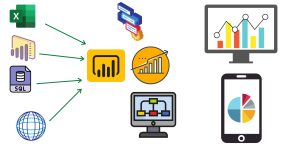
You will learn the initial steps in understanding and analyzing data, using statistical analysis, importing large datasets from Excel, Websites or Databases, shaping data with formulas & functions, aggregate it with Excel Pivot Tables, create Frequency Distributions and finally create Dashboards to visualize it with amazing charts in Power BI.
Prerequisites: Basic knowledge of PC skills, Microsoft Excel, and Windows and an open mind, interested in exploring and learning new things. Prior knowledge of Power BI is not required.
Certification: Successful trainees receive an Intellisoft Certificate of Completion. This is a non-WSQ course, so a WSQ Statement of Attainment or OpenCert is not issued. Students must pass 120 minutes of written and practical assessment at the end of the Data Analytics training course to qualify for the grants and certificate.

Learners’ Profile:
- Any learner with a basic proficiency in reading, writing, and understanding English, basic knowledge of Excel can pick up the Data Analytics Skills with Power BI
- Participants should have at least Secondary school education
- Participants should have completed the Basic PC Skills training, Basic Excel Training and be familiar with Windows operating system.

What Our Happy Participants Say
Training Course Fees & Funding
Full course fee: S$500.00 (before GST & government funding) TGS: TGS-2026065710
70% SWDA Grant
Baseline + Enhanced Training Support
- SG Citizens aged 40+ (Individual, SME or MNC)
- SME-sponsored SG Citizens (21+)
- SME-sponsored PRs (21+)
50% SWDA Grant
Baseline SWDA Funding
- SG Citizens aged 21–39 (Individual or MNC)
- MNC company-sponsored PRs (21+)
- Individual PRs (21+)
Additional Funding Options
Singapore Citizens aged 25+ can use their SkillsFuture Credits to offset nett fees.
Companies sending local & foreign staff can claim up to $10,000 SFEC funding.
NTUC members can claim up to 50% of remaining fees (capped at $500/year).*
Need help with funding applications? We'll guide you through the process.
* Terms & conditions apply. Funding subject to eligibility and approval by respective agencies. GST applies on full course fee before subsidy. Fee information is accurate as of Nov 2026.
Do You Have Any Questions
on Course Fee, Grant or Funding?
Ask Us. We’ll be happy to assist you.
Course Dates
| Training Schedule | |
|---|---|
| 19, 20 Nov 2026 | |
| 5, 19 Dec 2026 | |
| 7, 8 Dec 2026 | |
| 14, 15 Jan 2027 | |
| 16, 23 Jan 2027 | |
Learn With Intellisoft & Boost Your Career
How to Register for Data Analytics Training in Singapore?
Our Training Officer will get in touch with you to confirm your seat shortly.
You can call us at +65 6252-5033 or 9066-9991 (Whatsapp now) if you have any questions.
Get in Touch
Intellisoft Training Pte Ltd
10-08 Fortune Centre, 190 Middle Rd
Singapore 188979